An on-the-go AR experience that reimagines aircraft tracking through augmented reality, letting users explore live flight data as a fully immersive, interactive experience on their phone.
SKILLS
INTERACTION DESIGN, AUGMENTED REALITY,
PROTOTYPING
TOOLS
ILLUSTRATOR, AFTER EFFECTS,
PREMIERE PRO, BLENDER
TIMELINE
2 WEEKS - 2024
TYPE
INDIVIDUAL CLASS PROJECT
BACKGROUND
Analyze and innovate an existing app interaction
In my Foundations of Interaction Design course, we were tasked with analyzing and improving an existing app interaction. I selected Flightradar24 as the basis for this project, focusing on its AR view feature, which allows users to identify aircraft flying overhead.

From the map and to the sky right above you, Flightradar24 provides real-time flight tracking to your fingertips.
Flightradar24 is a leading real-time flight-tracking app, letting anyone track commercial flights worldwide. Beyond the standard map view, it offers AR tracking: point your phone at the sky and instantly get information on any plane overhead.

PROBLEM
Airplanes are fast. Flightradar24’s AR binoculars are not.
When an aircraft flies overhead, aviation enthusiasts often turn to Flightradar24’s AR feature to identify it. However, the feature’s slow response makes it easy to miss the plane before the information appears.

RESEARCH QUESTION
How might we transform fleeting aircraft sightings into a seamless, interactive learning experience?

INTRODUCING

An on-the-go AR experience that makes tracking & learning about nearby aircraft more interactive, intuitive, and engaging
Demo Video
KEY FEATURES
Quick-draw aircraft capture
See a plane? Flick up, lock on, and pull it right out of the sky. The quick-draw capture system keeps you ready the moment something flies overhead and let's you know exactly what you're looking at.

Spatial aircraft explorer
Dive deeper into the flight you’ve captured through a life-scale 3D aircraft model and a spatial flight map that unfolds right in front of you.

Audio-based proximity alerts
Stay aware of what’s flying around you. By listening for aircraft activity & syncing up with live flight information, the app notifies you when something worth capturing is overhead.

IDENTIFYING THE FLOW
To understand the friction points, I walked through the AR flow of the current app while thinking aloud
In order to get a full understanding of the whole flow, I recorded my phone movements along with a screen recording to capture the whole interaction.
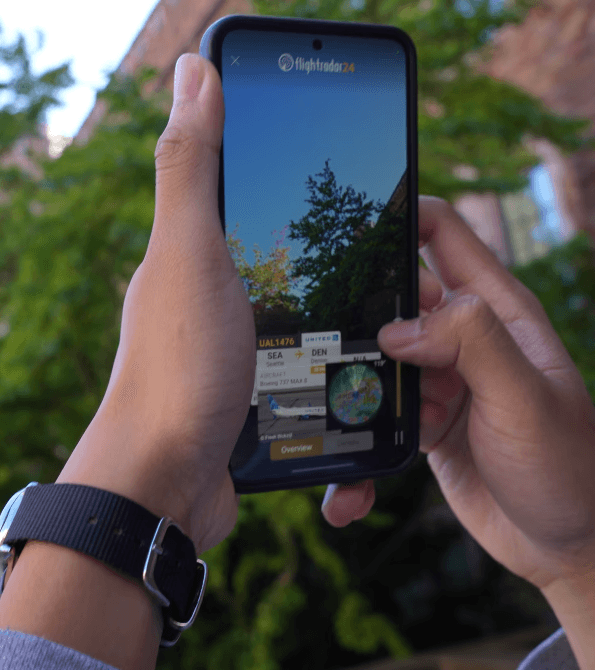
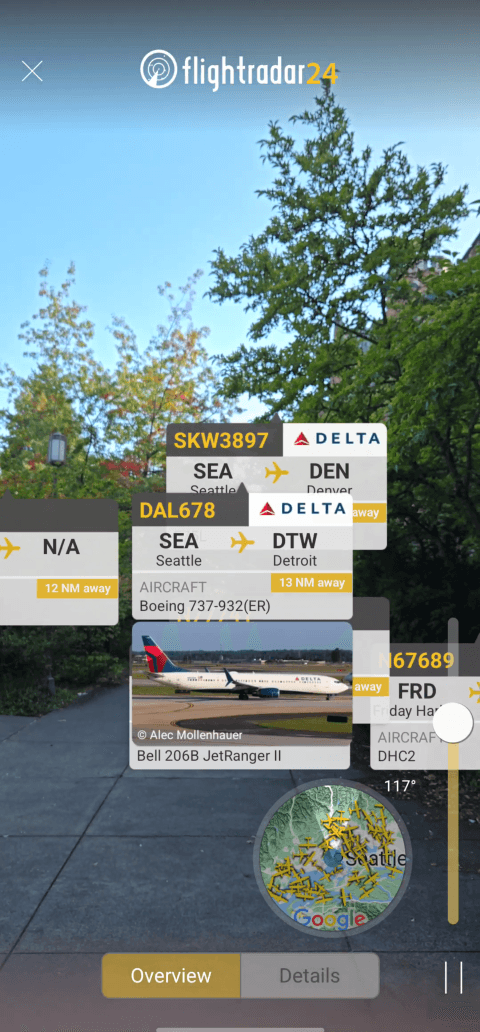
From the recordings, I was able to identify a key challenge:
Users can’t pull out their phone and launch the AR feature quickly enough to capture overhead aircraft with the current AR binoculars feature.
EXISTING PAIN POINTS & DESIGN PRINCIPLES
With the key challenge identified, I reviewed the recording to find three main pain points
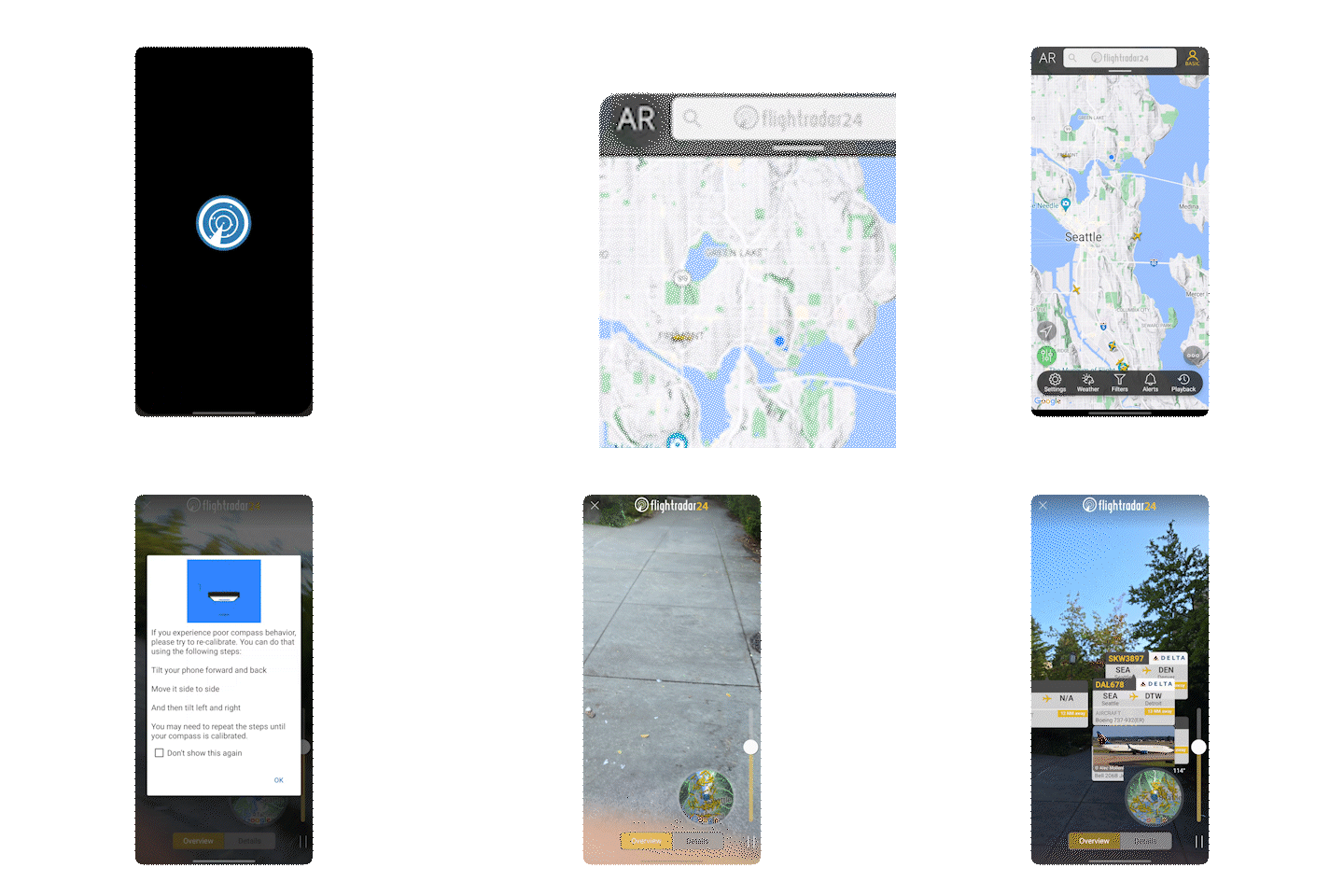
PAINT POINT #1
Slow access during quick moments
The AR view is hidden behind a small button on the dashboard, making it easy to miss the moment when a plane is actually overhead.
PAINT POINT #2
Overloaded with
'invisible' aircraft
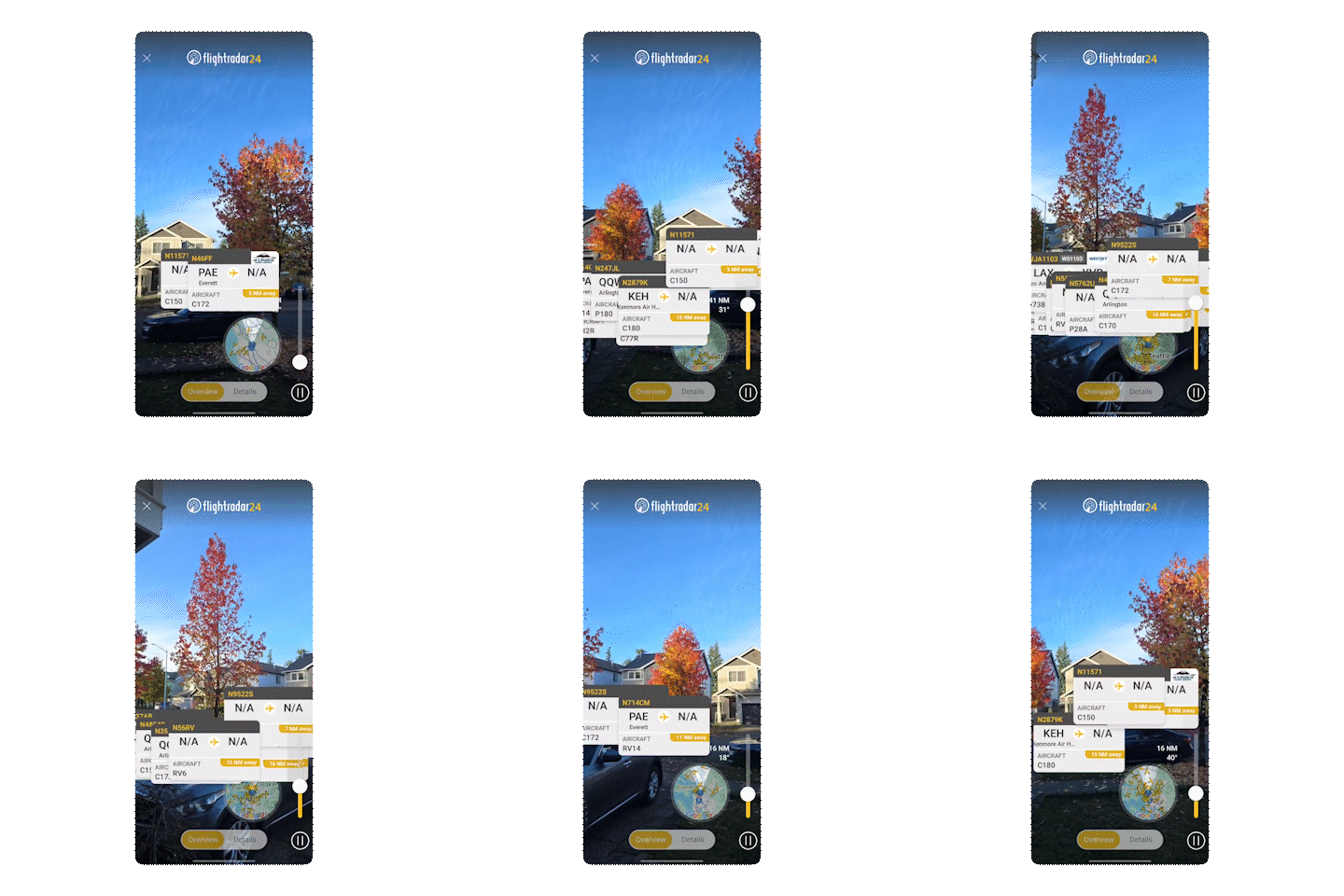
The AR overlay shows every nearby aircraft in a
user-defined radius, even ones blocked by buildings or completely out of sight, cluttering the view.

PAINT POINT #3
No clear target feedback
There’s no clear moment of confirmation of what aircraft you're looking at which creates uncertainty, especially for newcomers who don't know much about aviation and aircraft details.
With the pain points identified, I defined three design principles to guide the solution.
DESIGN PRINCIPLES
Immediate
Users should be able to quickly launch the app and its AR feature to be able to quickly identify overhead aircraft before it's out of sight.
Focused
To reduce information overload, the interface should be focused on one aircraft at a time.
Educational
The design should turn every interaction into an opportunity to learn, making aircraft identification intuitive for newcomers.
IDEATION
Learning to sketch interactions, not just screens
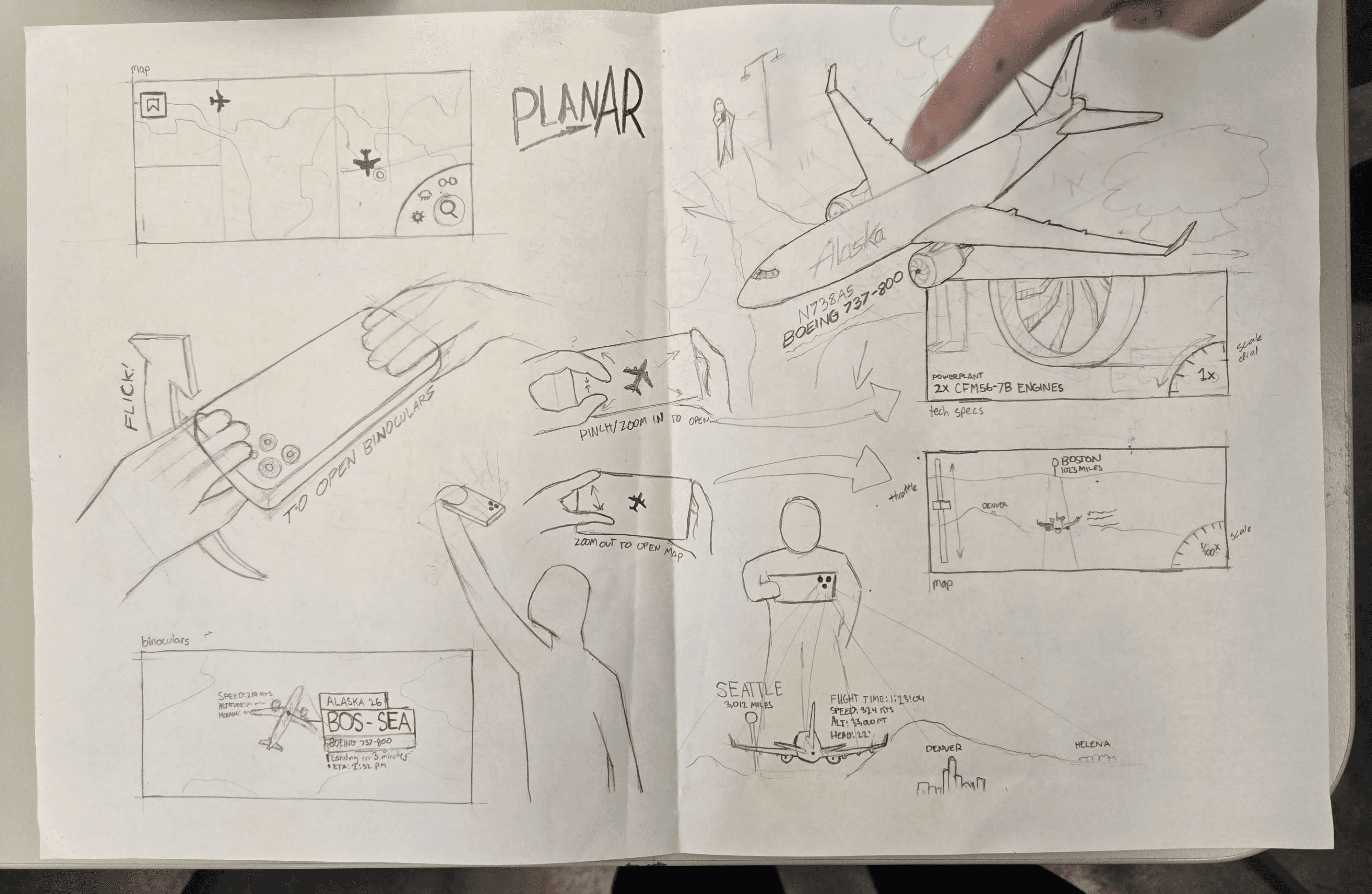
My professor challenged us to sketch the entire interaction beyond screens. Working on paper pushed me to consider alternative phone interactions beyond touch, leading me to explore motion-based controls as the foundation of the app.
INITIAL SKETCH
↓

INITIAL INTERACTION CONCEPT
FEEDBACK
Listening and taking a step back to analyze the flow
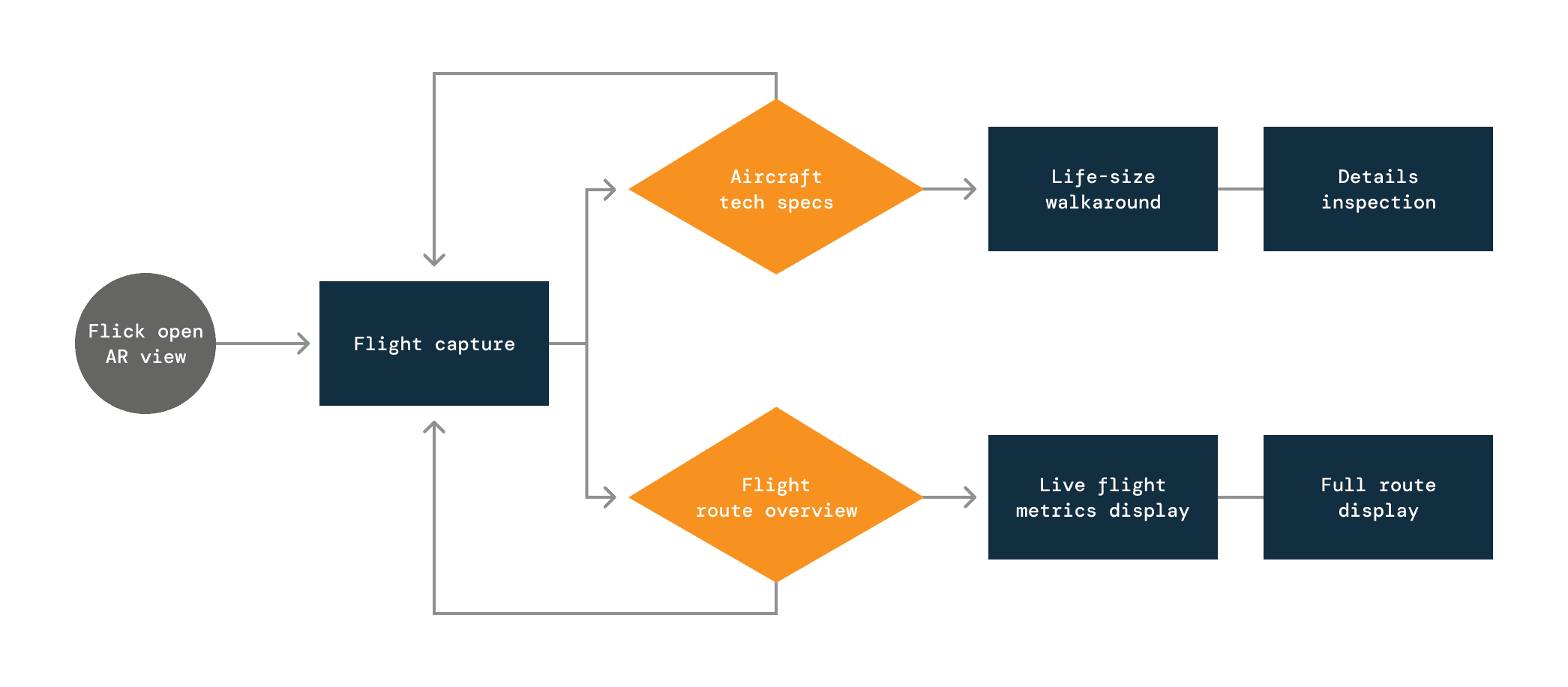
Critique from my classmates surfaced a key issue: screen transitions were disrupting the flow and weakening the app’s immediacy. This prompted a design question: how can capturing an aircraft from the sky, and launching its 3D model become one seamless interaction?
INITIAL INTERACTION FLOW
Users must re-capture the aircraft in order
to access the other choice
After analyzing the existing interaction flow, I revisited my core design principle: immediateness.
A single constraint dictates the flow of this entire interaction:
Users only have a 10-25 second window to open
the app and capture the aircraft before it leaves
their field of view.
I went back to the drawing board to maximize the capture window while keeping the experience seamless.
This led to a simple idea:
What if you could "pluck" an aircraft straight from the sky and place
it wherever you want in your space?

ITERATION
Linearizing to tell a story
To eliminate the transitions between screens and maximize the aircraft capture window, I rearranged my flow to be more linear, allowing users to view all screens without having to re-capture the aircraft. This also helped with making the information more focused and tell a story with the screen ordering.
REVISED INTERACTION FLOW

Creating precise placement with the hold function
I redesigned the zoom controls to match the new flow. Screen transitions now respond to zooming in a
single, consistent direction. The real magic is the hold function: users slide down and hold to place the 3D aircraft model exactly where they want in their space.
BEFORE

AFTER

Optimizing hand placement with an adaptive side strip.
One key piece of feedback that I received was to pay attention to the single-handed operation of this app. With the capture period being so brief, users need to be able to easily use their phone with just one hand. The result is an adaptive side strip that serves as a zoom, 3D model scaler, and playback scrub.

ZOOM

SCALE

SPEED
NEXT STEPS
Test & strengthen the interaction model
This was my first time designing for mobile device interactions and augmented reality. Some gestures and actions may feel intuitive in theory but need further testing and iteration so every action feels natural and easy to discover. Some interactions may benefit from clearer affordances or simpler alternatives.
Expand the visual language
Coming into this project, I was not familiar with standards for augmented reality design. After learning more, I want to develop a more cohesive spatial UI language with depth cues, motion rules, color hierarchy, and iconography that feel intentionally built for AR rather than adapted from 2D screens.
REFLECTION
Plan carefully, plan ahead
Working with AR for the first time taught me how important it is to plan for real-world capture. I filmed my demo before learning how camera movement, framing, and lighting affect 3D overlays, which made the Blender work down the line much harder than it needed to be.
Prototyping faster, messier, and earlier
Unlike conventional screen designs, I quickly learned that you can't validate AR interactions by just sketching. The sooner I iterated & tested prototypes, the easier it became to spot friction, timing issues, and confusion.